Nano Prompt Studio
Stop paying monthly. Start generating with your own AI — on Mac, iPad and iPhone.
One-time purchase. No subscription.
Nano Prompt Studio is a native app for macOS, iPadOS and iOS that puts the full power of AI image and video generation directly on your device — wrapped in a professional prompt studio built for artists, storytellers, and visual thinkers.
You bring your own API keys. We built the studio. Pay once, use it forever.
Features
Built for artists
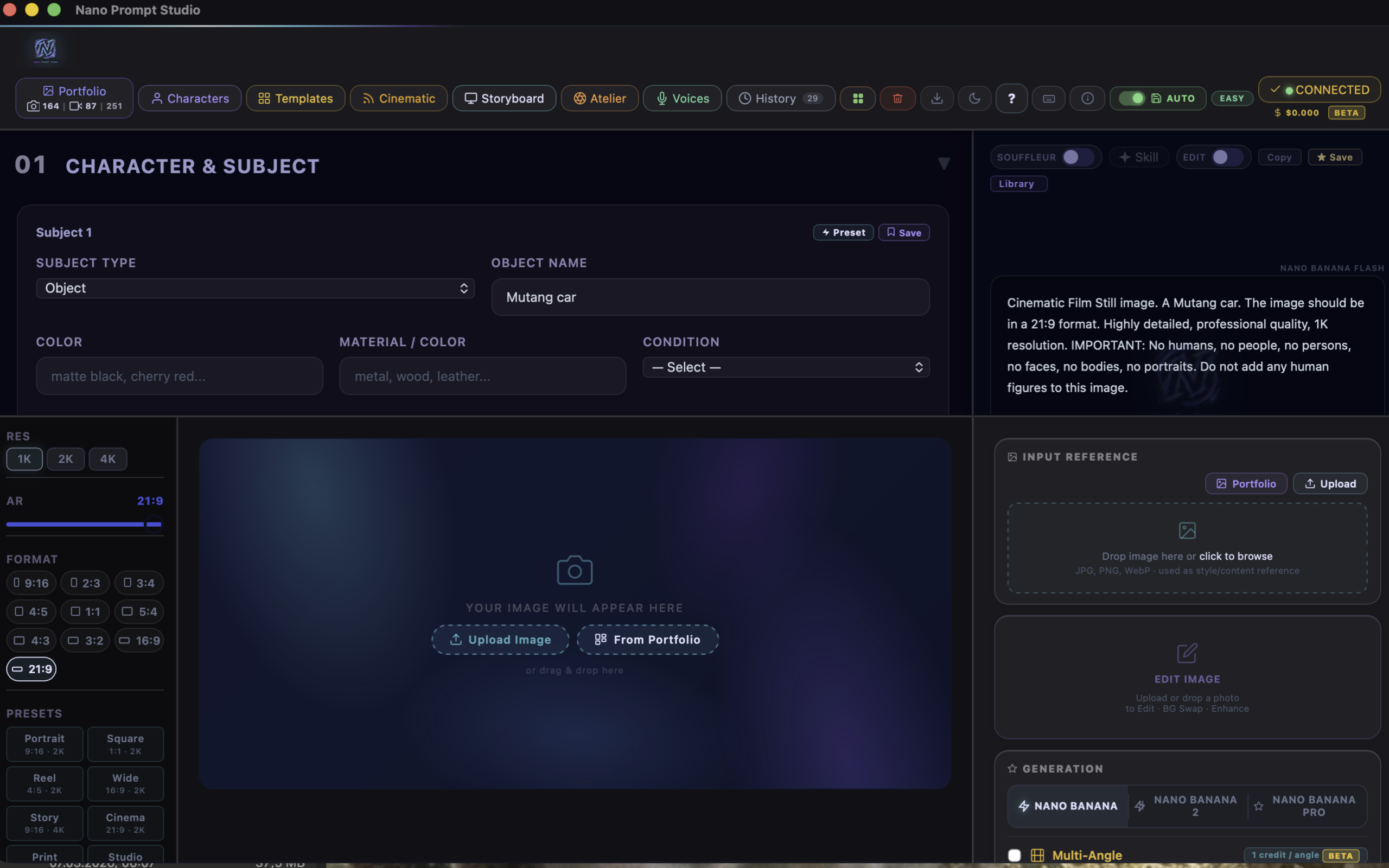
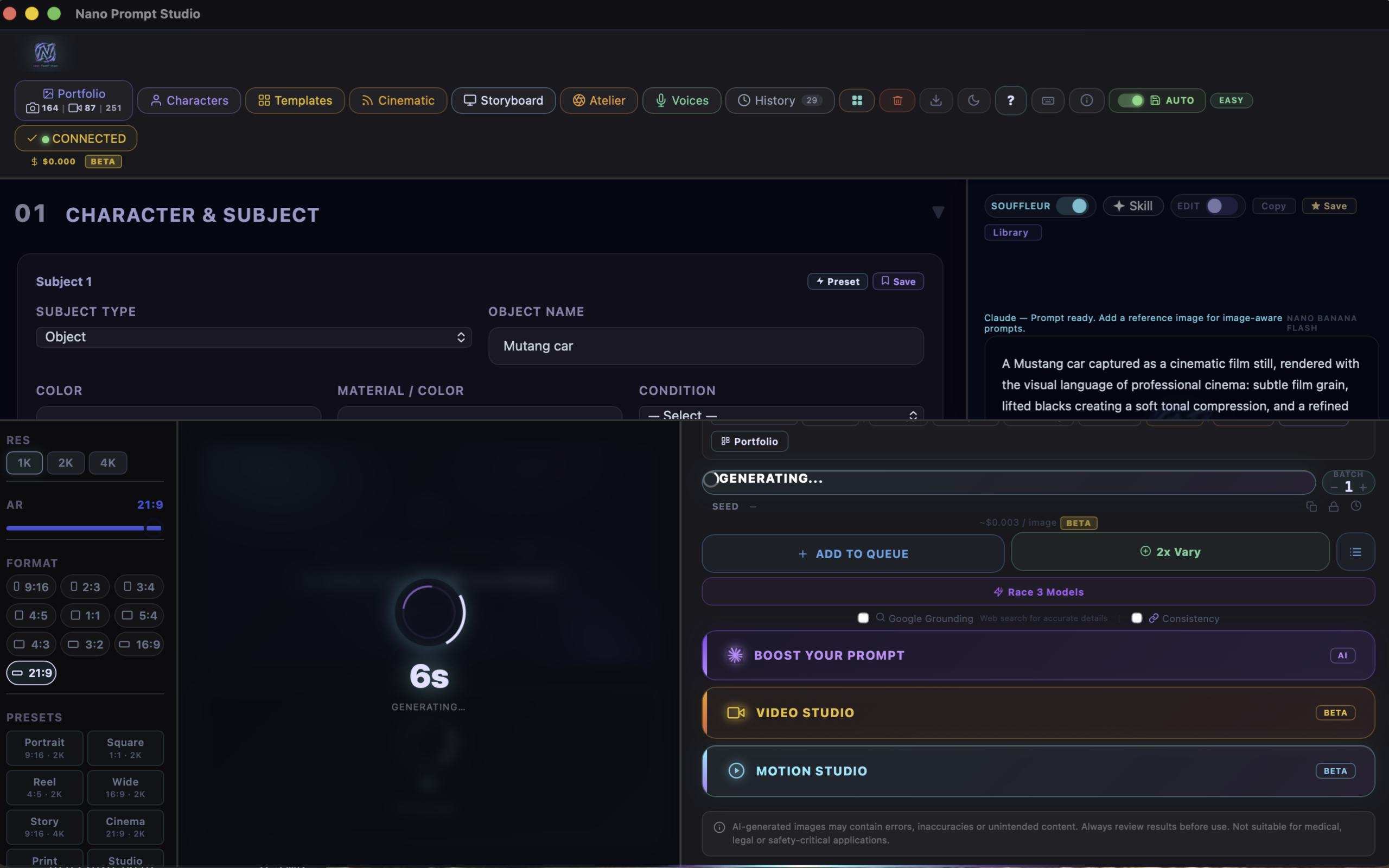
Professional Prompt Studio
Full control over your artistic process. Character sheets, aspect ratios, format presets, reference images, and AI-powered prompt enhancement — all in one professional workspace.
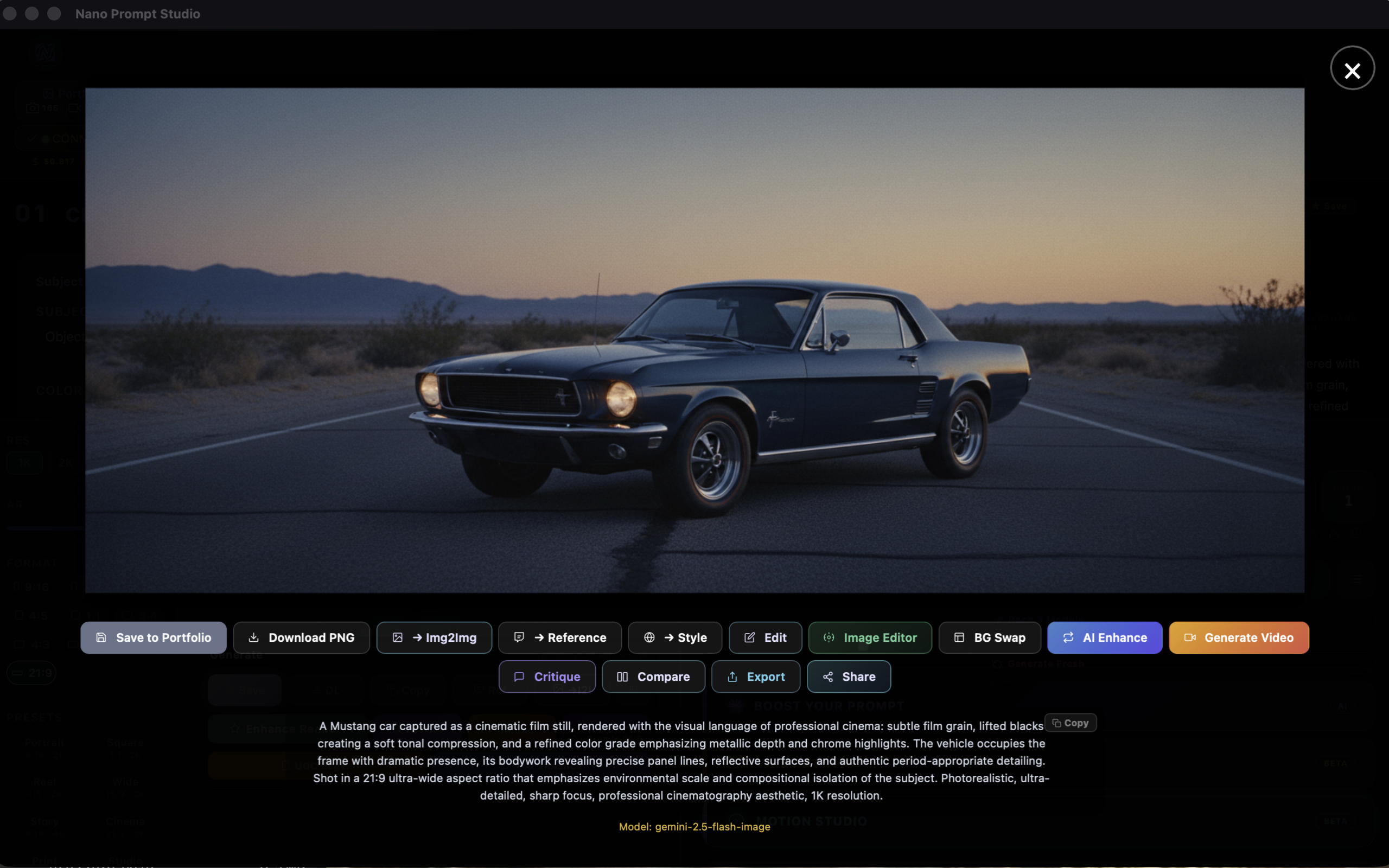
AI Image Generation
Generate stunning images with Google Gemini. Multiple models, multiple aspect ratios. Every image auto-saved to your portfolio with full prompt metadata.
Image Editor
Built-in inpainting, prompt editing, and outpainting. Paint a mask, describe what you want, and let AI fill it in. Here’s the workflow:
Step 1
Original Image
Step 2
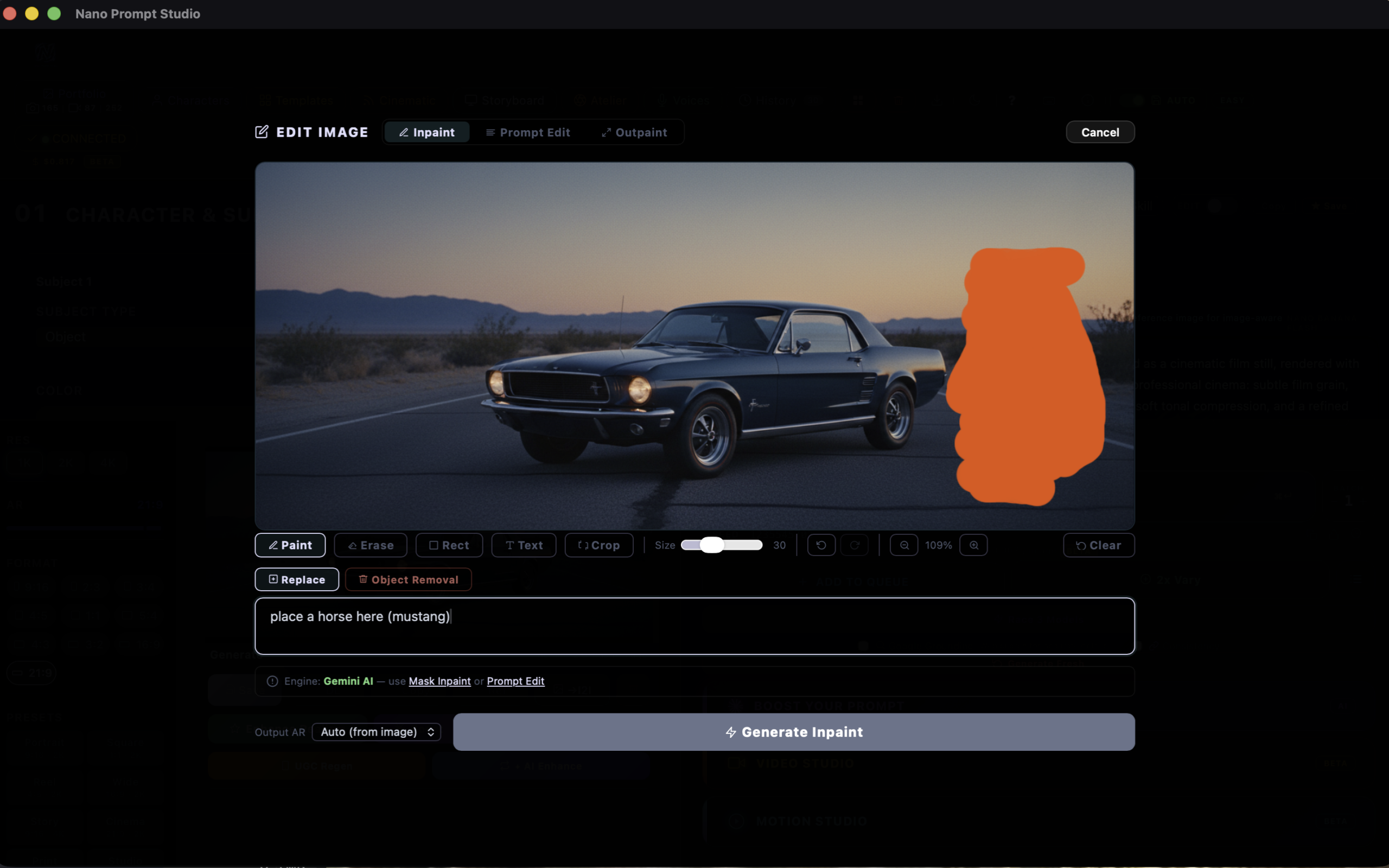
Paint Mask + Describe
Step 3
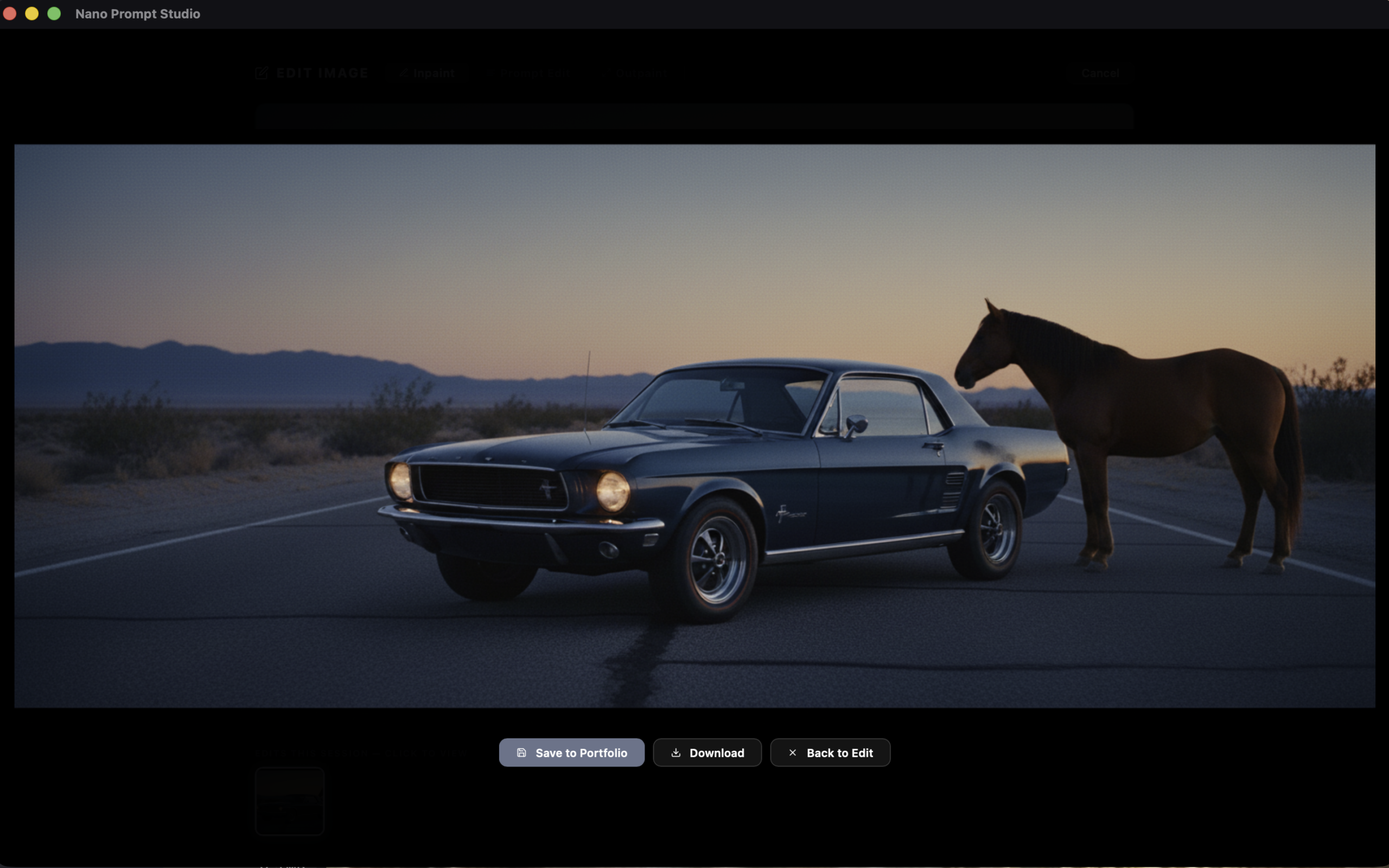
AI-Generated Result
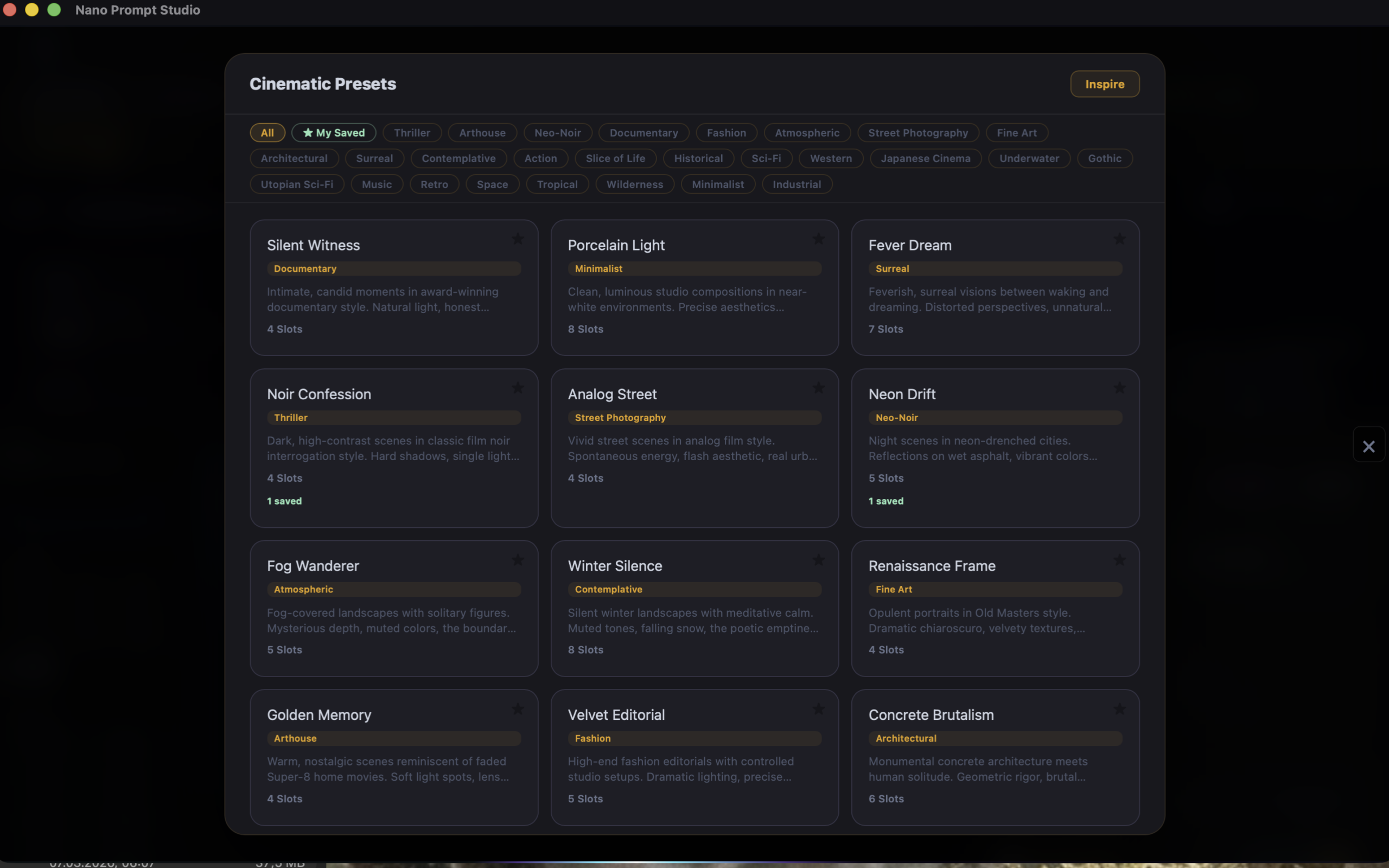
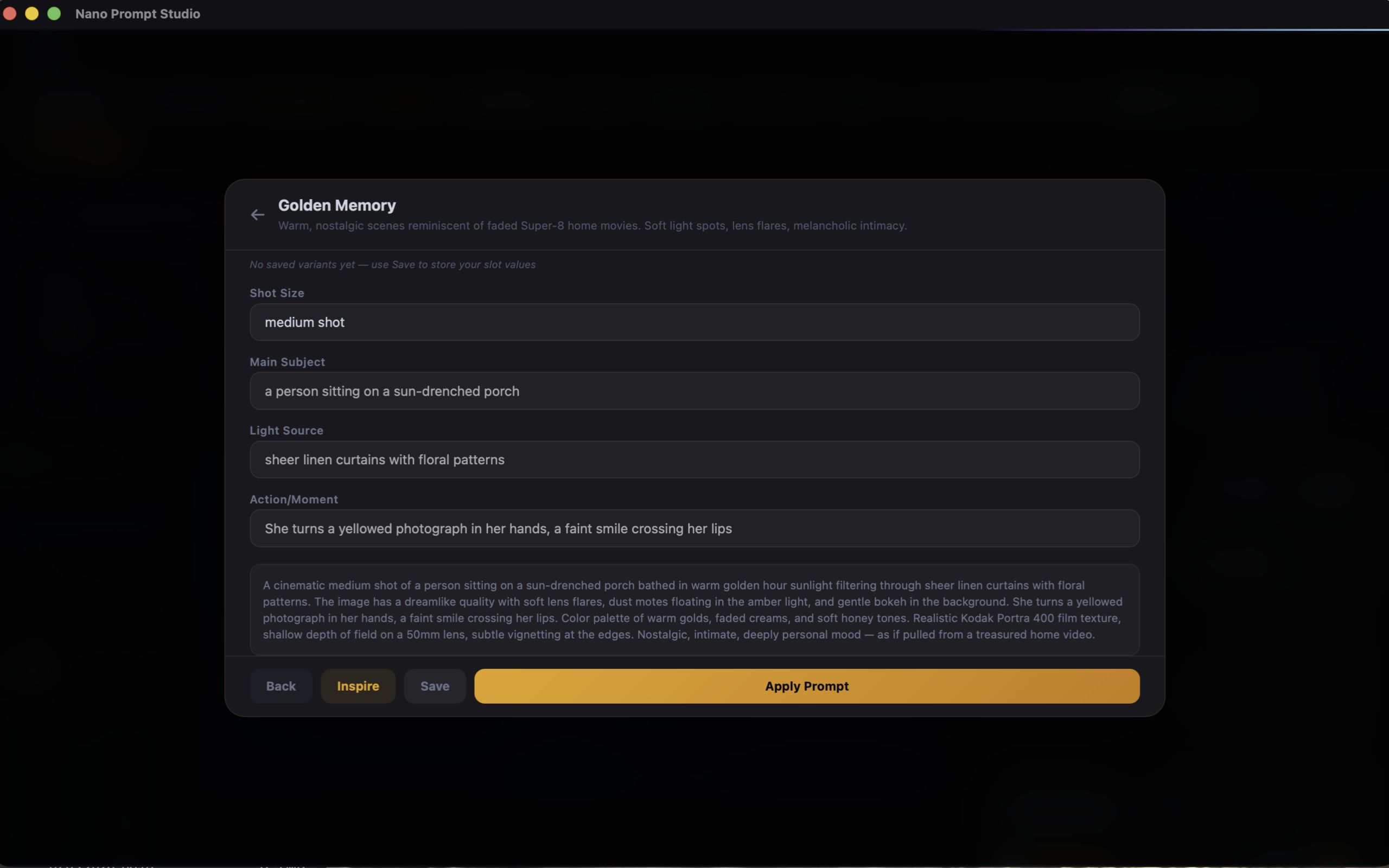
Cinema Presets
27 cinematic presets inspired by film genres — from Film Noir to Fever Dream. Each preset generates a complete prompt with shot size, lighting, mood, and atmosphere. Save your own variants.
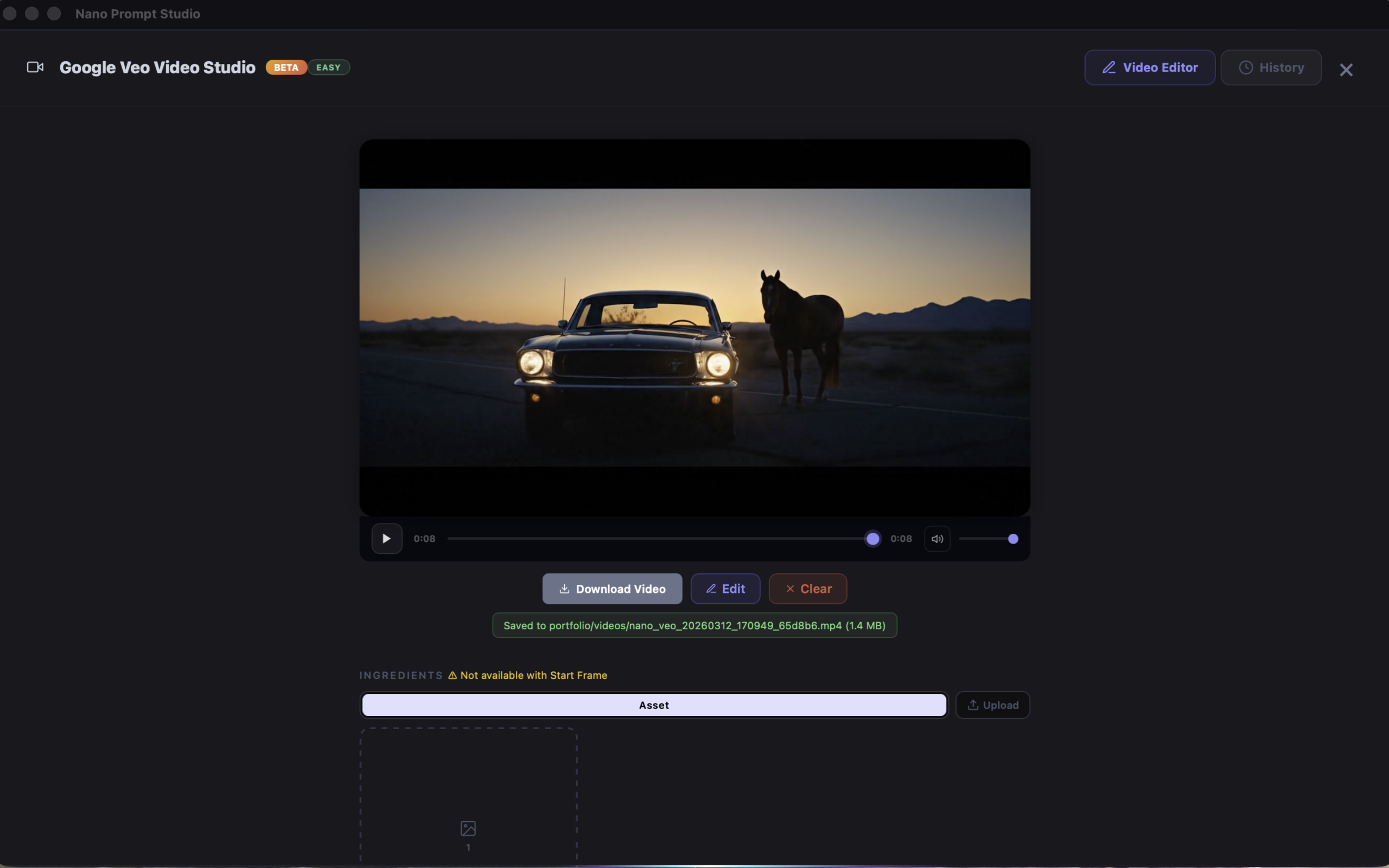
Video Studio
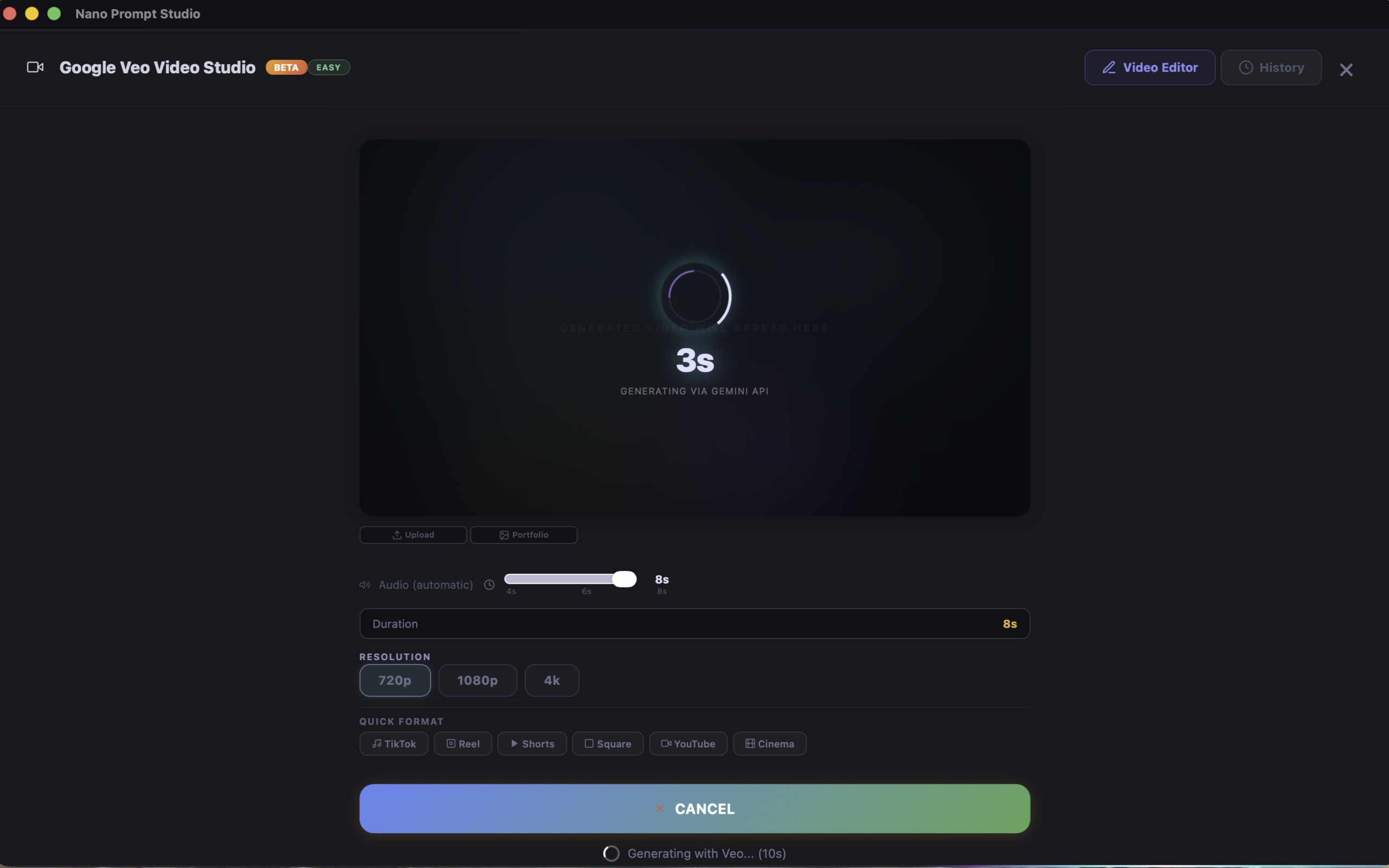
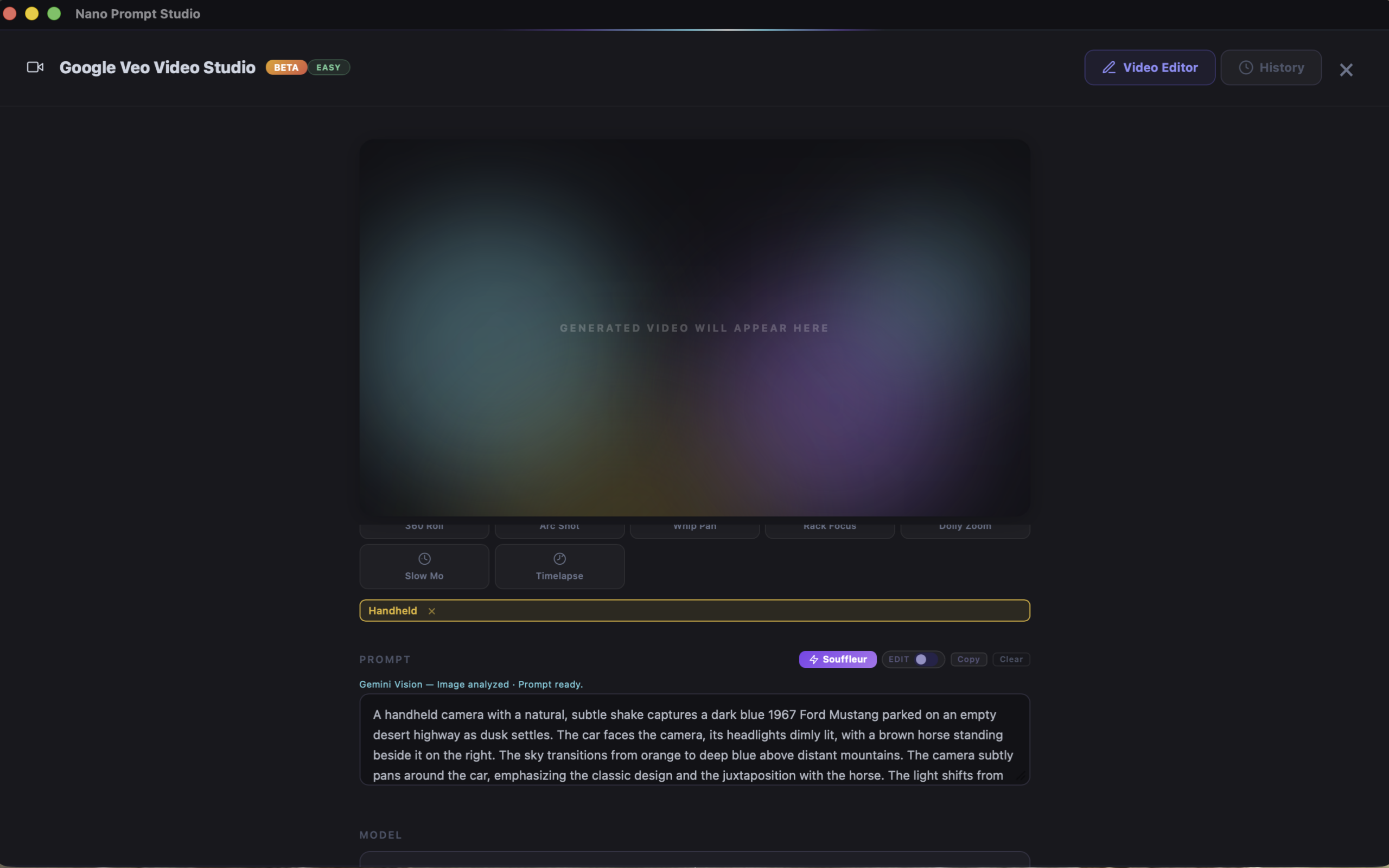
Text-to-video and image-to-video with Google Veo and Kling AI. Camera movement presets, automatic audio, resolution control, and the Souffleur — an AI that analyzes your image and writes cinematic video prompts.
Kling AI Integration
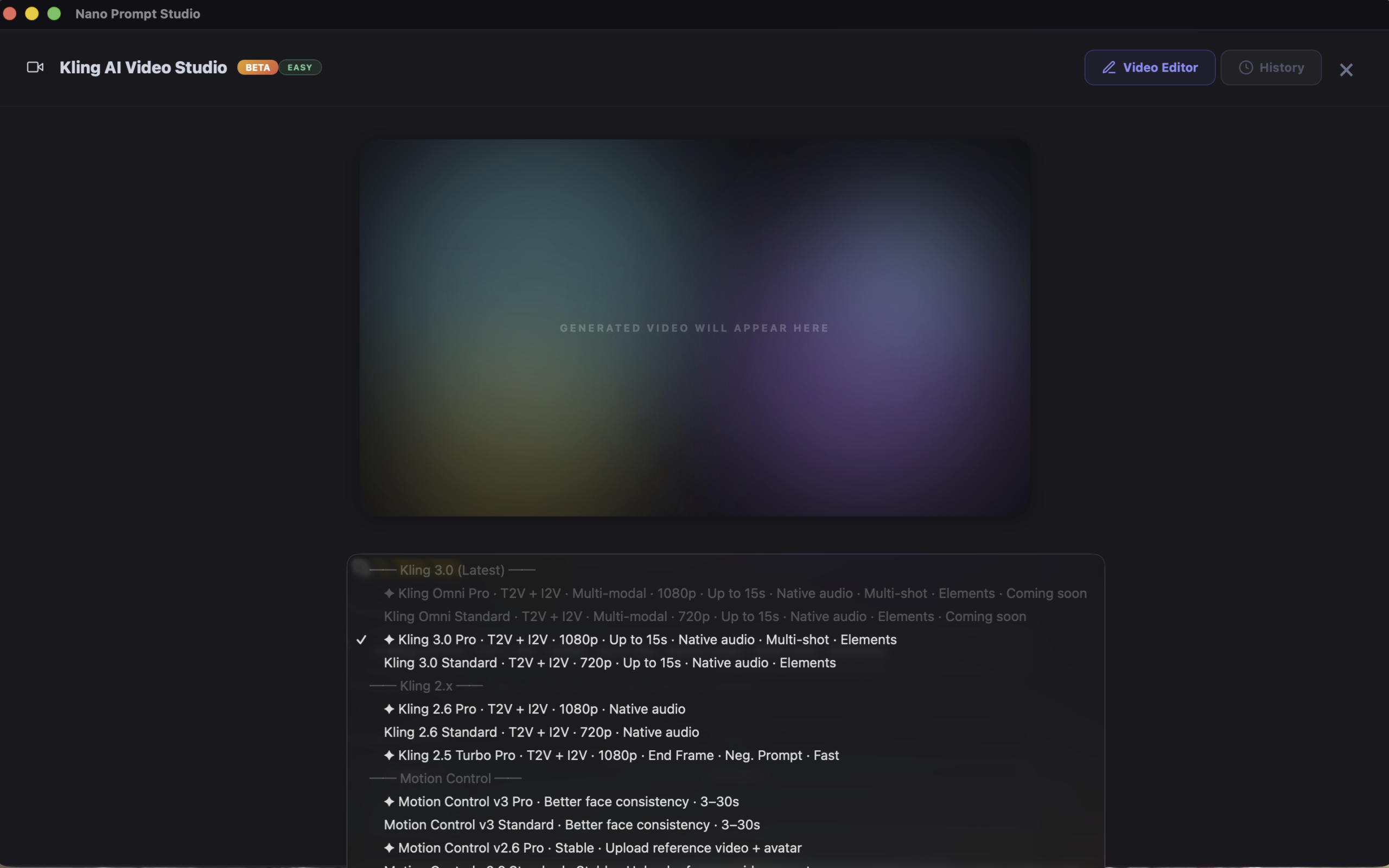
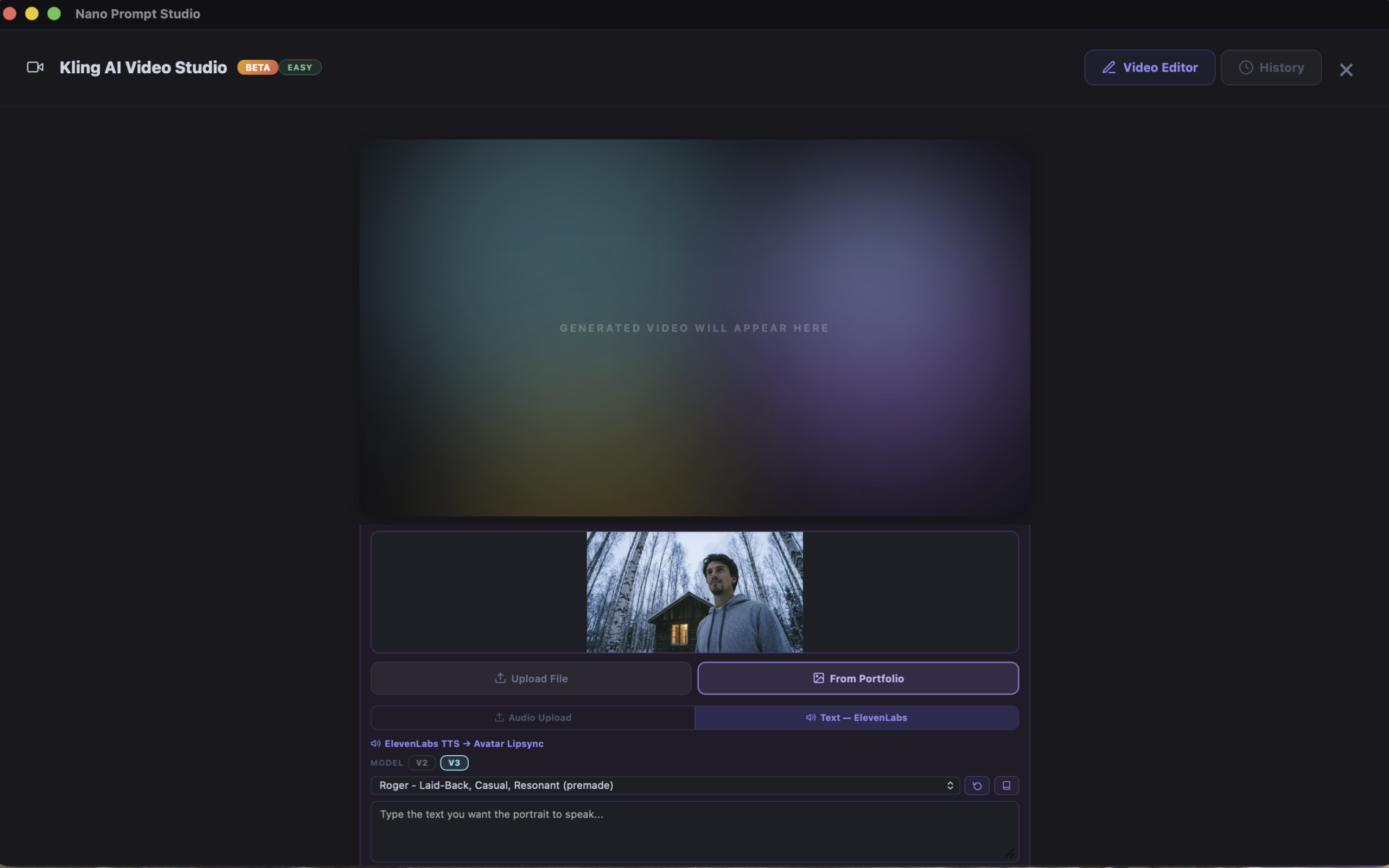
10+ video models including Kling 3.0, Wan 2.6, Hailuo, and Seedance. Plus: ElevenLabs text-to-speech for lipsync videos with AI voices.
Philosophy
Why Nano Prompt Studio
Your Data. Your Device.
Your data never leaves your device — API calls go directly from your Mac, iPad or iPhone to Google, Kling, or Anthropic. We receive nothing. No accounts with us, no tracking, no analytics.
Buy Once. Use Forever.
One-time purchase. No monthly fees. Ever. API costs from providers are minimal — often just cents per image.
Under the Hood
Technical Specifications
Capabilities
- 3+ AI image models (Gemini 2.0 Flash, 2.0 Pro, 2.5 Flash)
- 10+ video models (Veo, Kling 3.0/2.6/2.5, Wan 2.6/2.5, Hailuo, Seedance)
- 7 aspect ratios
- 27 Cinema Presets
- 20+ camera movement presets
- Built-in image editor (Inpaint, Outpaint, Prompt Edit)
- AI prompt enhancement (Claude)
- ElevenLabs text-to-speech
- Character consistency system
- English interface
- Future updates included
System Requirements
- macOS 12+ / iPadOS 16+ / iOS 16+
- Apple Silicon / Intel Mac / iPad or iPhone with A14+
- Internet connection
- ~50 MB disk space
Platform Support
- Native macOS app (Apple Silicon & Intel)
- Native iPadOS app (iPad with M-chip or A14+)
- Native iOS app (iPhone with A14+)
Bring Your Own Keys
Connect directly to AI providers. No middleman. No markup.
Ready to generate?
Your studio. Your keys. Your art.
One-time purchase · No subscription · Future updates included
Privacy Policy
Last updated: March 2026
1. Overview
Nano Prompt Studio is built on a fundamental principle: your data belongs to you. The app operates entirely on your device. We have no servers, no accounts, no tracking, and no analytics.
2. Data Collection
We collect absolutely no data. Nano Prompt Studio does not:
- Collect user accounts
- Track usage or behavior
- Use analytics services
- Store data on external servers
- Use cookies or tracking pixels
- Collect crash reports automatically
3. API Keys & Third-Party Services
Nano Prompt Studio uses a Bring Your Own Key (BYOK) model. You provide your own API keys for the AI services you choose to use. These keys are stored locally on your device:
- macOS: API keys are stored in the macOS Keychain, protected by your system’s security.
- iPadOS / iPhone: API keys are stored in the iOS Keychain, protected by the device’s Secure Enclave.
When you generate images or videos, your prompts and data are sent directly from your device to the respective AI provider. We never see, intercept, or store this data. The following providers are integrated:
- Google Gemini / Veo — image & video generation. Google Privacy Policy
- Anthropic Claude — prompt enhancement (Souffleur). Anthropic Privacy Policy
- Leonardo AI — image generation. Leonardo AI Privacy Policy
- Kling AI (Kuaishou) — video generation. Kling AI Privacy Policy
- xAI (Grok) — video generation. xAI Privacy Policy
- Alibaba Cloud / DashScope (Wan) — video generation. Alibaba Cloud Privacy Policy
- Lightricks (LTX Video) — video generation. Lightricks Privacy Policy
- MiniMax (Hailuo AI) — video generation. MiniMax Privacy Policy
- ElevenLabs — voice generation. ElevenLabs Privacy Policy
- Kie.ai — Easy Mode video aggregator. Kie.ai Privacy Policy
- fal.ai — video generation. fal.ai Privacy Policy
- ByteDance (Seedance) — video & image generation. ByteDance Privacy Policy
Each provider handles your data according to their own privacy policy. Please review them before use.
Reference images may be temporarily uploaded to tmpfiles.org for API compatibility. Files are auto-deleted after 60 minutes.
4. Face Data
Nano Prompt Studio may process images that contain human faces in the following scenarios:
- Reference Images: When you upload a reference image containing a face for AI image or video generation, that image is sent directly from your device to the third-party AI provider you have configured (e.g., Google Gemini, Kling AI, MiniMax, ByteDance Seedance). Nano Prompt Studio does not analyze, extract, or store any facial geometry, facial features, or biometric data from these images.
- Generated Images: AI-generated images may contain depictions of human faces. These are synthetic outputs produced by the third-party AI model, not derived from any real person’s biometric data.
- Video Generation: When using video generation features with a reference image that includes a face, the reference image is transmitted directly to the selected third-party AI provider. Nano Prompt Studio does not perform any face detection, recognition, or analysis on these images locally.
Collection: Nano Prompt Studio does not collect, store, or retain any face data. No facial recognition, facial mapping, or biometric identification is performed by the app.
Use: Reference images containing faces are used solely to provide visual context to the third-party AI model for image or video generation as directed by the user.
Disclosure and Sharing: Face data (as part of reference images) is shared only with the third-party AI provider selected by the user. No face data is shared with any other party, and no face data is transmitted to the developer (Likafilm / Muhlis Karaca).
Retention: Nano Prompt Studio does not retain any face data. Reference images and generated outputs remain on the user’s device. The developer has no access to these files. For retention policies of third-party AI providers, please refer to their respective privacy policies listed in Section 3.
5. Local Storage
All generated images and videos are saved locally in your portfolio folder on your device. Prompt metadata is stored alongside your files. Nothing is uploaded anywhere unless you choose to do so.
6. No Analytics or Tracking
Nano Prompt Studio contains no analytics, tracking, advertising, or telemetry of any kind.
7. Age Restriction
Nano Prompt Studio is rated 17+ and intended for users aged 17 and older. AI-generated content may include mature imagery depending on the prompts and AI models used. We do not knowingly collect data from anyone under 17.
8. Updates
App updates are delivered through the App Store (macOS, iPadOS, iPhone) or Gumroad (macOS). No data is collected during the update process.
9. Contact
For privacy-related inquiries, contact us at: likafilm@gmail.com